
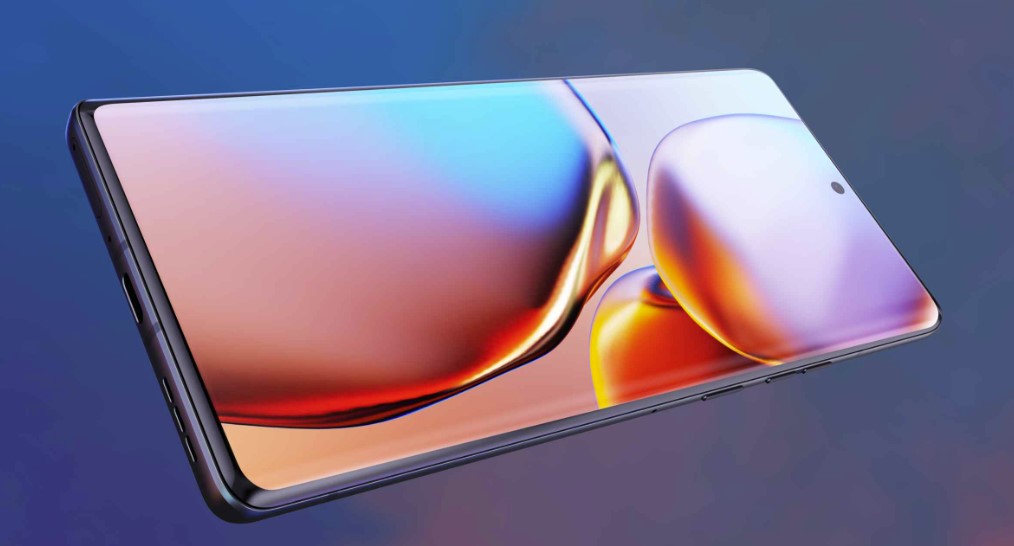
The Motorola Edge 40 Pro is no longer a new flagship.
That does not automatically make it a bad phone.
Its Snapdragon 8 Gen 2 processor, fast 165Hz OLED display, 125W wired charging, wireless charging and capable camera hardware are still far beyond what many people need for normal daily use.
The question has simply changed.
When the phone launched, the question was:
Can it compete with other flagship phones?
Now the more useful question is:
Does the price of a used, refurbished or discounted Motorola Edge 40 Pro make sense compared with buying something newer?
For that decision, raw specifications are only part of the story.
You also need to consider software support, battery condition, repair history, storage, camera priorities and how long you expect to keep the phone.
HQ Quick Trick: Never judge an older flagship by its original launch price. Compare its current price with the newest phone you could buy for the same money.
Motorola Edge 40 Pro at a Glance
The Edge 40 Pro originally launched as Motorola’s high-end Android phone with hardware that remains respectable.
| Feature | Motorola Edge 40 Pro |
|---|---|
| Display | 6.67-inch pOLED |
| Resolution | 2400 × 1080 |
| Refresh rate | Up to 165Hz |
| Processor | Snapdragon 8 Gen 2 |
| RAM | 12GB LPDDR5X |
| Storage | 256GB UFS 4.0 |
| Battery | 4,600mAh |
| Wired charging | 125W TurboPower |
| Wireless charging | 15W |
| Reverse wireless charging | 5W |
| Main camera | 50MP with OIS |
| Ultra-wide | 50MP |
| Telephoto | 12MP |
| Front camera | 60MP |
| Water resistance | IP68 |
| Launch software | Android 13 |
| Current OS support | Upgraded through Android 16 |
| Security support | Currently scheduled through April 2027 |
The specifications explain why the phone can still feel fast.
But they do not tell you whether a particular used unit is worth buying.
The Biggest Strength: Snapdragon 8 Gen 2 Has Aged Well
The Snapdragon 8 Gen 2 was a flagship processor, and that matters when buying older hardware.
For normal tasks such as:
- Browsing
- Messaging
- Navigation
- Streaming
- Social media
- Photo editing
- Multitasking
- Most mobile games
the Edge 40 Pro still has more than enough processing power.
This is one reason an older flagship can sometimes offer better value than a brand-new budget phone.
A newer inexpensive device might have a longer remaining support period, but it may also use a significantly slower processor, slower storage and weaker cameras.
The correct comparison is therefore not simply:
Old phone vs new phone.
It is:
What am I giving up—and what am I gaining—for the same amount of money?
If you are comparing several phones rather than this model alone, our smartphone buying guide explains which specifications genuinely affect everyday use and which numbers are mostly marketing.
12GB of RAM Is Still Plenty
The Edge 40 Pro includes 12GB of LPDDR5X memory.
For most Android users, that is still more than enough for ordinary multitasking.
You should be able to move between everyday apps without RAM itself becoming the limiting factor.
More RAM does not automatically make a phone faster, though.
Overall responsiveness also depends on:
- Processor
- Storage speed
- Software optimization
- Thermal performance
- Background apps
That is why buying a newer phone with “more RAM” on the box does not necessarily mean you are buying a faster phone.
256GB of Fast Storage Is a Real Advantage
The phone uses 256GB of UFS 4.0 internal storage.
That is still a strong specification.
Storage speed affects things such as:
- App installation
- App loading
- File transfers
- Large games
- System responsiveness
And 256GB gives most users plenty of space without immediately relying on cloud storage.
There is no microSD slot, however.
If you store large amounts of local video, offline media or games, decide whether 256GB is enough before buying because the internal storage cannot simply be expanded later with a memory card.
The 165Hz Display Is Impressive—but You Probably Do Not Need 165Hz
The Edge 40 Pro uses a 6.67-inch pOLED display with a refresh rate of up to 165Hz.
That sounds dramatically better than 120Hz.
In practice, the difference between 60Hz and 120Hz is much easier for most people to notice than the difference between 120Hz and 165Hz.
The higher refresh rate can make animations and scrolling extremely smooth, particularly in supported games.
But it should not be the main reason you buy the phone.
Display quality involves more than refresh rate.
The Edge 40 Pro also supports HDR content and uses an OLED panel that can provide deep blacks and strong contrast.
For daily use, those characteristics may matter more than the final 45Hz between 120 and 165.
HQ Quick Trick: Do not pay extra for 165Hz simply because the number is larger. If two phones are otherwise similar, prioritize display quality, brightness, battery life and software support first.
The Curved Display Is a Matter of Preference
The Edge 40 Pro uses strongly curved screen edges.
Some people love this design.
Others actively avoid it.
Curved displays can make the phone look slimmer and more premium, but they can also create practical disadvantages:
- More difficult screen-protector installation
- Greater vulnerability at the curved edges
- Accidental touches for some users
- More expensive display repairs
If you are buying the phone used, inspect the edges particularly carefully.
A tiny crack near the curved section can turn a bargain into an expensive repair.
Battery Capacity Is Only Half the Battery Story
The Edge 40 Pro has a 4,600mAh battery.
When the phone was new, that specification could be compared directly with other new phones.
A used phone is different.
Lithium-ion batteries degrade with charge cycles, heat and time.
Two Edge 40 Pro units of exactly the same age can therefore deliver noticeably different battery life.
The most important battery question is no longer:
How large is the battery?
It is:
What condition is this particular battery in?
Warning signs of significant battery wear can include:
- Rapid percentage drops
- Unexpected shutdowns
- Unusually short screen-on time
- Excessive heat
- Poor standby time
Battery replacement can restore much of an older phone’s usability, but include the replacement cost when comparing the deal with a newer device.
125W Charging Is Still Extremely Fast
One of the phone’s standout features remains its 125W TurboPower wired charging.
That can compensate for an aging battery to some extent because short charging sessions can restore substantial usable time.
The phone also supports wireless charging, which is not guaranteed on many mid-range phones.
But charging speed should never be used as an excuse to ignore poor battery health.
A damaged or severely degraded battery is still a degraded battery.
Also use reputable, compatible charging equipment rather than chasing maximum wattage with an unknown third-party charger.
The Camera Hardware Is More Versatile Than Many Mid-Range Phones
The rear camera system combines:
- 50MP main camera with optical stabilization
- 50MP ultra-wide camera
- 12MP telephoto camera
That hardware gives the phone genuine versatility.
The dedicated telephoto camera is particularly worth noting because many cheaper phones replace a useful optical telephoto lens with low-value macro or depth sensors simply to increase the advertised camera count.
For everyday photography, having:
main + ultra-wide + telephoto
is a much more useful arrangement.
Do Not Judge the Camera by Megapixels
A 50MP camera is not automatically better than a 12MP camera.
Image quality depends on:
- Sensor size
- Lens quality
- Processing
- Dynamic range
- Autofocus
- Stabilization
- Low-light performance
- Color processing
Motorola’s camera processing may also produce results that look different from Samsung, Google or Apple even when the hardware specifications appear similar.
If photography is one of your main reasons for buying the phone, look at current full-resolution sample images rather than deciding based on megapixels.
The Telephoto Camera Is Useful but Limited
The dedicated telephoto lens is a good feature to have, but this is not a long-range camera phone.
Think of it as useful for closer portraits and modest optical zoom rather than serious distant zoom photography.
If your main priority is photographing:
- Concerts
- Sports
- Wildlife
- Very distant subjects
a newer phone with a stronger periscope telephoto system may be a better choice.
For portraits and everyday zoom, however, having a dedicated telephoto camera is still preferable to relying entirely on digital cropping.
IP68 Water Resistance Is Valuable—but Be Careful With Used Phones
The Edge 40 Pro carries an IP68 water- and dust-resistance rating.
That is useful protection.
But water resistance should never be treated as permanent, particularly on an older or repaired phone.
Seals can deteriorate.
And if the phone has previously been opened for:
- Battery replacement
- Screen repair
- Camera repair
its original water resistance may not have been restored to factory standards.
If you are buying used, do not deliberately test water resistance.
Treat it as additional protection rather than permission to expose the phone to water.
Software Support Is Now One of the Most Important Buying Factors
This is where the buying decision becomes more complicated.
The Edge 40 Pro launched with Android 13.
Motorola has since upgraded the device through Android 16.
More importantly, Motorola currently lists the Edge 40 Pro as still receiving regular security updates, with security support scheduled to end in April 2027.
That means the phone is not unsupported today.
But the remaining official support period is now much shorter than it was when the device was new.
This should directly affect how much you are willing to pay.
If You Plan to Keep the Phone for a Short Time
A good-condition Edge 40 Pro at the right price can still make sense.
If You Want to Keep Your Next Phone for Several Years
A newer phone with a substantially longer security-support commitment may offer better value even if its hardware is slightly less impressive.
This is exactly why software support belongs in every modern smartphone comparison.
Android 16 Makes the Phone More Relevant Than Its Age Suggests
Receiving Android 16 improves the situation considerably.
An older phone running a recent Android version is much easier to recommend than one already several operating-system generations behind.
Recent software helps with:
- App compatibility
- Security
- Platform features
- Stability improvements
But do not confuse receiving Android 16 with unlimited future support.
Always check Motorola’s current support information before purchasing, because update schedules can vary by region and carrier.
The Edge 40 Pro Makes More Sense Used Than “New Old Stock”
You may occasionally find older phones listed as brand new because they remained unsold in inventory.
That sounds ideal.
But a sealed box does not stop battery aging completely.
Lithium-ion batteries age with time as well as use.
So do not automatically pay a large premium simply because an old device has never been activated.
Compare:
Used phone in excellent condition with verified battery performance
against:
Old sealed stock at a much higher price
and:
A genuinely newer phone
The sealed option is not automatically the best value.
What to Check Before Buying a Used Edge 40 Pro
Do not inspect only the outside.
Use this checklist.
1. Check the IMEI
Confirm that the phone is not reported lost, stolen or blocked where relevant.
Compare the IMEI shown in software with the device or packaging information when available.
2. Confirm Factory Reset Protection Is Cleared
The seller should properly remove their Google account before handing over the phone.
A factory-reset phone that still requires the previous owner’s credentials can become unusable to you.
3. Inspect the Display
Check carefully for:
- Cracks
- Burn-in
- Dead pixels
- Touch problems
- Damage at curved edges
- Unusual discoloration
Use solid white, gray, red, green and blue screens if possible.
4. Test the Cameras
Open every lens.
Check:
- Main camera
- Ultra-wide
- Telephoto
- Front camera
- Autofocus
- Video
- Stabilization
Look for fogging or internal dust that may indicate previous damage or poor-quality repair.
5. Test the USB-C Port
Connect a charger.
Check that the cable sits securely.
If possible, test data transfer as well as charging.
A damaged USB port can become expensive and annoying quickly.
6. Test Wireless Charging
Because the Edge 40 Pro supports wireless charging, verify it if you have access to a compatible charger.
7. Test Speakers and Microphones
Play audio.
Make a recording.
Make a call if possible.
Physical damage can affect components that are easy to overlook during a quick purchase.
8. Check Mobile Connectivity
Insert your SIM when practical.
Confirm:
- Calls
- Mobile data
- SMS
- Wi-Fi
- Bluetooth
Do not discover a network-related problem after the transaction.
9. Check for Signs of Previous Repair
Look for:
- Uneven frame gaps
- Excess adhesive
- Poorly fitted rear panel
- Different-colored replacement parts
- Loose buttons
- Display sitting incorrectly
A repaired phone is not automatically bad.
A badly repaired phone is.
Ask what was replaced and whether genuine or high-quality parts were used.
10. Update the Phone Before Trusting It
Once the phone is yours:
- Factory reset it if necessary.
- Install all available Motorola system updates.
- Update apps through Google Play.
- Set a strong screen lock.
- Add your Google account.
- Enable account protections.
Our online security guide covers the basic security setup worth using on a new or used device.
For important accounts, also enable stronger authentication using the methods explained in our two-factor authentication guide.
Who Should Still Consider the Motorola Edge 40 Pro?
The phone can still make sense for someone who wants:
- Flagship-level performance
- Very fast charging
- A smooth OLED display
- 256GB storage
- A proper telephoto camera
- Wireless charging
- IP68 protection
without paying current flagship prices.
The strongest case is when the phone is being sold at a meaningful discount compared with newer devices.
Who Should Skip It?
Look at newer alternatives if:
You Want Long Software Support
The remaining security-support window should be a major consideration.
You Keep Phones for Many Years
Starting with newer hardware gives you more remaining support life.
Battery Life Is Your Main Priority
A used battery may no longer perform like it did when the phone was new.
You Want the Best Camera Processing
Newer flagship phones have continued improving computational photography.
You Are Paying Close to New-Phone Money
At that point, the older flagship advantage disappears.
Older Flagship vs New Mid-Range Phone
This is probably the most useful comparison.
Suppose your budget buys either:
Motorola Edge 40 Pro
or:
A new mid-range phone
The Edge 40 Pro may offer:
- Faster processor
- Faster storage
- Better materials
- Wireless charging
- Stronger camera hardware
- Higher display refresh rate
The newer mid-range phone may offer:
- Fresh battery
- Longer warranty
- Longer remaining software support
- No unknown repair history
- Easier access to service and replacement parts
There is no universal winner.
Choose based on the compromises you care about.
HQ Quick Trick: Older flagships often win on hardware. New mid-range phones often win on remaining lifespan and predictability.
How Much Should You Pay?
There is no useful permanent price recommendation because second-hand prices vary by:
- Country
- Condition
- Battery health
- Warranty
- Storage
- Accessories
- Seller reputation
Instead, use a percentage comparison.
Find the price of a good new phone you would realistically buy instead.
Then ask:
How large is the Edge 40 Pro discount?
A small discount is usually not enough to justify:
- Shorter remaining support
- Used battery
- No full new-device warranty
- Unknown history
A large discount makes those compromises more reasonable.
Do Not Pay Extra for the Original “Flagship Killer” Label
The phrase flagship killer is useful marketing.
It is not a buying criterion.
The phone should now be evaluated entirely on:
- Current price
- Current software support
- Current battery condition
- Physical condition
- Your needs
Its launch reputation should not affect what you pay today.
Is the Motorola Edge 40 Pro Good for Gaming?
The Snapdragon 8 Gen 2 and fast display still provide strong gaming hardware.
But an older used phone introduces another factor:
thermal and battery condition.
A degraded battery or previously damaged device can behave differently under sustained gaming load.
If gaming matters to you:
- Test a demanding game.
- Watch for excessive heat.
- Look for sudden brightness reduction.
- Confirm charging behaves normally.
- Check whether the game actually supports high refresh rates.
A 165Hz display does not mean every game runs at 165 frames per second.
Is It Good for Photography?
For general photography, yes.
The combination of a stabilized main camera, ultra-wide and telephoto camera is useful.
But camera priorities are personal.
If your main focus is photography, compare sample images from the Edge 40 Pro directly against the newer phone available at the same price.
Do not buy from the specification table alone.
Is It Still Fast Enough?
For most users, easily.
The processor and storage were flagship-grade and remain capable for modern Android applications.
The bigger questions are now:
- Battery health
- Remaining software support
- Purchase price
—not whether the processor can open Instagram or Gmail.
Should You Buy One for Several More Years?
This is where I would be more cautious.
Motorola currently schedules security support through April 2027.
If you are buying close to the end of that window and expect to keep the phone for several additional years, a newer model with a longer support commitment is the safer choice.
If you are buying it cheaply for shorter-term use, the calculation is different.
Always check the manufacturer’s current support page at the time you buy.
Frequently Asked Questions
Is the Motorola Edge 40 Pro still worth buying?
It can be, provided the price reflects its age and remaining software-support period.
Its processor, display, storage and charging hardware remain strong, but condition and price matter more now than the original specifications.
What Android version does the Motorola Edge 40 Pro support?
The phone launched with Android 13 and Motorola has upgraded it through Android 16.
How long will the Motorola Edge 40 Pro receive security updates?
Motorola currently lists regular security support through April 2027.
Update plans can vary by region and channel, so check Motorola’s current support information before purchasing.
Does the Edge 40 Pro have wireless charging?
Yes.
It supports wireless charging as well as very fast wired charging.
Does it have a microSD card slot?
No.
The internal 256GB storage therefore needs to be enough for your expected use.
Is the Edge 40 Pro waterproof?
It carries an IP68 water- and dust-resistance rating.
However, water resistance can deteriorate with age and may be affected by previous repairs.
Is Snapdragon 8 Gen 2 still fast?
Yes.
It remains a capable processor for normal applications, multitasking and demanding mobile workloads.
Should I buy a used flagship or a new mid-range phone?
The used flagship may provide better performance, cameras and premium features.
The new mid-range phone often gives you a fresh battery, warranty and longer remaining software support.
Compare both at the same actual purchase price.
Final Verdict
The Motorola Edge 40 Pro has aged better than many phones because the hardware started from a strong position.
Snapdragon 8 Gen 2 is still fast.
12GB of RAM is still plenty.
256GB of UFS 4.0 storage remains excellent.
The OLED display, wireless charging, 125W wired charging and three useful rear cameras still give it a flagship-style feature set.
But an older phone should never be purchased from the specification sheet alone.
The buying decision now depends on:
- Price
- Battery health
- Physical condition
- Repair history
- Remaining software support
Motorola’s upgrade to Android 16 helps significantly, and the phone is currently still receiving security updates.
But that support window has an end.
So compare the Edge 40 Pro with the newest phone available for the same money—not with the flagship phones it competed against when it launched.
Use our smartphone buying guide to compare the wider hardware factors before choosing, then secure any phone you buy with the steps in our online security guide and two-factor authentication guide.
The HQTrick rule: an old flagship is a bargain only when the discount is large enough to pay you back for the lifespan you are giving up.