
Best Antivirus Software — Do You Even Need One Anymore?
For twenty years the answer was obvious: install antivirus or get infected.
That answer quietly stopped being true — and the industry selling it never mentioned the change.
First: Why the Question Changed
Antivirus software was born in an era when operating systems shipped with essentially no protection. Windows XP connected to the internet without a firewall enabled. Malware spread through floppy disks, USB drives, and file-sharing programs. Third-party antivirus was genuinely the only defense that existed.
Three things changed that completely:
Operating systems built protection in. Microsoft’s Windows Defender went from a joke to a top-tier engine that consistently scores near the top in independent lab testing. macOS added XProtect, Gatekeeper, and notarization requirements. Both are on by default.
Browsers became the front line. Chrome, Edge, Safari and Firefox all block known malicious sites and dangerous downloads before they reach your system. Most modern threats arrive through the browser, and that’s where they’re now intercepted.
Attacks shifted from malware to manipulation. The dominant threats today are phishing, credential theft, and scams — attacks aimed at your decisions, not your software. Ransomware still matters enormously, but its most common entry point is a person clicking something, not a virus spreading on its own.
The result: the baseline protection almost everyone already has is dramatically better than what people paid for a decade ago — while the threats it can’t stop are the ones no scanner ever could.
Second: What Antivirus Software Actually Does
Understanding the mechanism clarifies where it helps and where it doesn’t.
Signature detection. Compares files against a database of known malware fingerprints. Fast and reliable for threats that have been seen before — useless against anything new.
Heuristic and behavioral analysis. Watches what programs actually do. A document that tries to encrypt your files or a program silently contacting unknown servers gets flagged regardless of whether it’s in any database. This is where modern engines earn their value.
Web and download protection. Blocks known malicious domains and scans files as they arrive.
Ransomware protection. Monitors protected folders and blocks unauthorized processes from modifying files in bulk. Both Windows and several paid suites offer this.
What it fundamentally cannot do: stop you from typing your password into a convincing fake login page, stop you from reading a verification code aloud to a caller, or stop you from installing something you deliberately chose to install.
Third: What Built-In Protection Already Does
Windows — Microsoft Defender
Included free with Windows, enabled by default, and genuinely competitive. In independent testing from labs like AV-TEST and AV-Comparatives, Defender routinely achieves protection rates comparable to leading paid products.
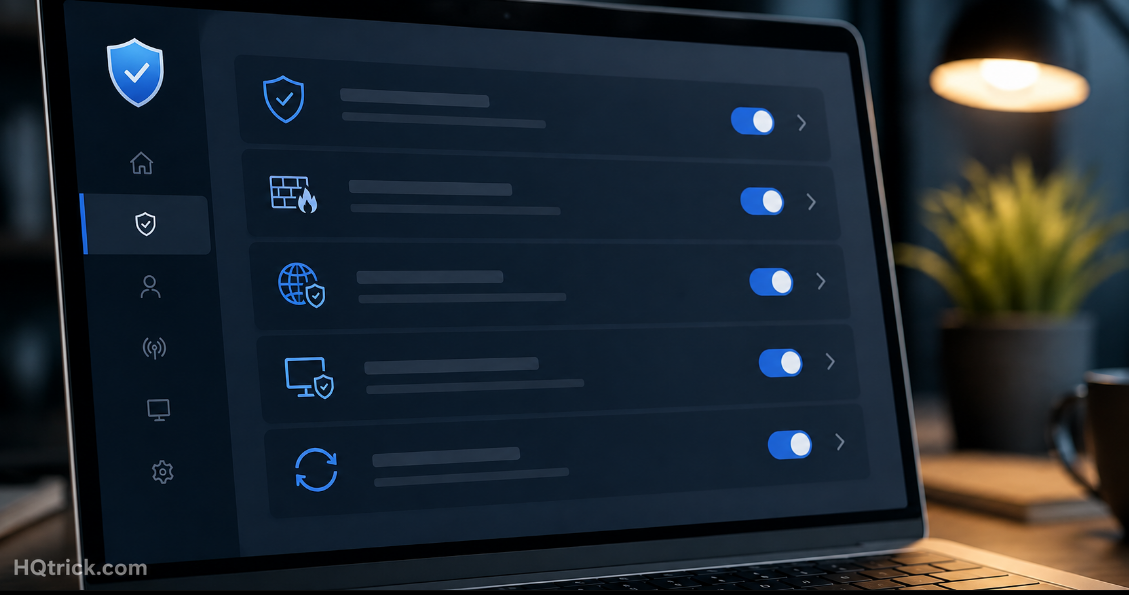
What it includes: real-time malware protection, cloud-based threat analysis, firewall, ransomware protection through Controlled Folder Access, SmartScreen reputation checks on downloads, and parental controls through Family Safety.
Its practical advantages over third-party suites are underrated: it’s deeply integrated, it doesn’t slow your system noticeably, it never shows upgrade popups, and it has no incentive to exaggerate threats to justify a renewal.
Worth enabling manually: Controlled Folder Access (Windows Security → Virus & threat protection → Ransomware protection). It’s off by default and is one of the better ransomware defenses available on any platform.
macOS — XProtect, Gatekeeper, and Notarization
Apple’s layered approach works differently. Gatekeeper blocks apps that aren’t signed by identified developers. Notarization requires developers to submit apps to Apple for automated malware screening. XProtect scans for known malware signatures. System Integrity Protection prevents even administrator accounts from modifying core system files.
Macs are not immune — Mac-targeted malware exists and has grown alongside market share. But the architecture plus built-in protections mean most Mac users genuinely don’t need third-party antivirus running continuously.
Mobile — iOS and Android
iOS: Apps run sandboxed and come from a reviewed store. Traditional antivirus apps on iOS cannot even scan other apps — the system won’t allow it. Antivirus products in the App Store are essentially VPNs and web filters with security branding. Skip them.
Android: Google Play Protect scans apps automatically. The real risk on Android is sideloading apps from outside the Play Store — which is exactly the behavior third-party scanners struggle to protect against anyway. Stick to the official store and Play Protect covers most people.
Fourth: The Products Worth Paying For (And Who Should)
| Product | Price | Standout Strength | Best For |
|---|---|---|---|
| Microsoft Defender | Free | Built in, no popups, top lab scores | Most Windows users |
| Malwarebytes Premium | ~$45/yr | Best cleanup + real-time layer | Cleaning infections, extra layer |
| Bitdefender | ~$40/yr | Consistently highest lab scores | Users wanting maximum detection |
| ESET | ~$50/yr | Lightweight, low system impact | Older or slower machines |
| Kaspersky | ~$45/yr | Strong engine (see note below) | Regionally dependent |
| Norton / McAfee | $40–$100/yr | Bundled extras (VPN, ID theft) | Only if you’d buy the bundle anyway |
Malwarebytes deserves a specific mention. Its free version is the best on-demand cleaner available — you run it manually when something feels wrong, and it removes things other scanners miss. It coexists happily with Defender, which makes it a genuinely useful second opinion at no cost.
A note on Kaspersky: Its detection engine has always scored excellently in testing. However, several governments — including the United States — have restricted or banned its use in government systems over concerns about its Russian jurisdiction. This is a geopolitical consideration rather than a technical criticism, but it’s a real factor for many readers.
About bundled suites: Norton and McAfee increasingly sell packages combining antivirus with a VPN, password manager, and identity monitoring. If you’d buy all three separately, the bundle can make financial sense. If you wouldn’t, you’re paying for an antivirus at three times the price of a better standalone one.
Fifth: The Habits That Matter More Than Any Scanner
Every security professional says a version of this: your behavior protects you more than your software does.
Never install cracked or pirated software. This is the single largest malware vector for home users. Cracked software requires disabling your protections to install — and the “crack” is frequently the payload itself.
Download only from official sources. The developer’s own site or the official app store. Search results for popular software are routinely poisoned with sponsored ads leading to malicious lookalike installers.
Never accept a browser or plugin update from a webpage. Real updates come from the browser itself, silently. A website telling you your Flash, Chrome, or video codec needs updating is always malicious — Flash hasn’t existed for years and Chrome updates itself.
Keep backups you can restore from. Ransomware’s entire leverage is that you can’t recover without paying. Backups remove that leverage completely. The standard rule: three copies, two different media types, one stored offsite or in cloud storage with version history.
Update everything automatically. Most successful attacks exploit vulnerabilities that were patched months earlier. Updates aren’t features — they’re closed doors.
Audit browser extensions. Extensions can read everything on every page you visit. Popular extensions are sometimes sold to new owners who inject malicious code into existing installs. Remove anything you don’t actively use.
Sixth: So — Do You Need Paid Antivirus?
✅ Built-in protection is enough if:
- You use Windows or macOS with automatic updates on
- You download software only from official sources and app stores
- You don’t install pirated software
- You use a password manager and two-factor authentication
- You maintain backups
That describes most people. For that profile, paying for antivirus buys marginal detection improvement over a free product already installed.
⚠️ Paid antivirus adds real value if:
- You share a computer with people whose habits you don’t control — especially children or less technical family members
- You frequently download files from varied or untrusted sources
- You run a small business handling customer data, where the cost of one incident dwarfs the subscription
- You’re using an older Windows version with weaker built-in protection
- You want centralized protection across many family devices in one subscription
❌ Antivirus is not worth buying for:
- iPhones and iPads — the system doesn’t permit what these apps claim to do
- A modern Mac used carefully — built-in layers cover typical usage
- Replacing good habits — no product compensates for installing pirated software or entering passwords into phishing pages
Seventh: Frequently Asked Questions
Is Windows Defender good enough on its own?
For most people, yes. Microsoft Defender consistently scores at or near the top in independent lab testing, runs without slowing your system, and never nags you to upgrade. Pair it with automatic updates, careful download habits, and the free version of Malwarebytes for occasional second-opinion scans, and you have protection equal to most paid suites.
Do Macs need antivirus software?
Most Mac users don’t need continuous third-party antivirus. macOS includes Gatekeeper, XProtect, notarization checks, and System Integrity Protection. Mac malware does exist and is growing, so keeping a free on-demand scanner available for occasional checks is reasonable — but a paid always-on suite is unnecessary for typical use.
Does my iPhone need antivirus?
No. iOS sandboxes apps so thoroughly that an antivirus app cannot scan other apps — the capability simply doesn’t exist on the platform. Products marketed as iPhone antivirus are VPNs and web filters with security branding. Keep iOS updated and install only from the App Store.
Is free antivirus safe to use?
Reputable free options are safe: Microsoft Defender, Avast Free, AVG Free, and Bitdefender Free all provide genuine protection. The trade-off with free third-party products is usually data collection and constant upgrade prompts — which is one more reason Defender, with neither, is the best free choice on Windows.
What is the best protection against ransomware?
Backups, above everything else. Ransomware’s power comes entirely from your inability to recover your files. Maintain three copies across two media types with one offsite or in versioned cloud storage. Then enable Controlled Folder Access on Windows, keep software updated, and never open unexpected attachments.
Will antivirus software slow down my computer?
Modern engines are far lighter than older generations, and Microsoft Defender in particular is deeply optimized for Windows. Heavy bundled suites with VPNs, optimizers, and monitoring tools have the most noticeable impact. Running two real-time antivirus programs simultaneously causes conflicts and slowdowns — use one, plus an on-demand scanner like Malwarebytes for manual checks.
Conclusion: The Best Antivirus Is Mostly Already Installed
The honest answer to “do I need antivirus?” is that you already have one, it’s good, and it’s free.
Turn on the protections you’re not using, keep everything updated, back up your files, and be careful about what you install. Add a paid product if your situation genuinely calls for it — not because a popup told you your PC was at risk.
The software layer is largely solved. The remaining risk is the person using it.
HQTRICK.COM — Your Daily Trick to a Better Life