
How to Set Up the Perfect Home Office on Any Budget
The home office is the single most impactful physical investment a remote worker can make. Not because the right chair or monitor makes you a better thinker — but because a poorly designed workspace creates a cascade of small frictions that compound across every working hour of every working day: neck strain that builds by afternoon, eye fatigue that sets in by midday, the inability to mentally separate work from home life, and the creeping discomfort of cheap equipment used for eight hours straight.
This guide is organized by budget tier. Every tier produces a meaningfully functional workspace; each step up removes the next most significant constraint. Buy what you can afford now and upgrade deliberately rather than waiting for a perfect setup that never arrives.
Before Equipment: The Non-Negotiables
Two things that cost almost nothing but matter more than any piece of equipment:
Dedicated space, not shared space. A workspace that doubles as a dining table, a guest bedroom, or a living room couch is a workspace that never lets your brain distinguish between work mode and rest mode. The research on psychological recovery from work is clear: physical separation between work and non-work space produces better rest and better work. Even a corner of a room, defined by a rug and facing a specific direction, is better than a shared surface. A closet converted to a desk nook is better than a beautiful desk in the middle of your bedroom.
Natural light in front of you, not behind you. Windows behind your monitor create glare and eye strain. Windows behind you create a dark, institutional feel that suppresses mood and energy. Orient your desk so natural light comes from the side or front — or if that’s not possible, invest in good artificial lighting before any equipment upgrade.
Budget Tier 1: $200–$500 (Functional Foundation)
This budget produces a workspace that eliminates the worst ergonomic problems and handles standard remote work reliably.
The Desk ($80–$200)
At this budget, a simple, stable desk from IKEA or Amazon is appropriate. The IKEA LINNMON with ADILS legs ($60–$80) has been assembled in more home offices than any other desk in history because it works: flat surface, adequate depth (23.5″), available in multiple widths, and easy to customize later.
The one dimension that matters most: Depth. A desk less than 24″ deep forces your monitor too close to your face. At least 24″ is the minimum; 30″ is comfortable. Width depends on your workflow — single monitor users need 48″; dual monitor setups benefit from 60–72″.
The Chair ($80–$200)
Spend as much as possible in this tier on the chair. More than any single piece of equipment, the chair determines your physical comfort across an 8-hour day — and chronic lower back pain, neck strain, and shoulder tension are the predictable outcomes of an inadequate seat used full-time.
At the $80–$200 range, the Staples Hyken and HON Ignition provide genuine lumbar support and adjustability that most chairs in this price range don’t. They’re not ergonomic masterpieces, but they’re meaningfully better than kitchen chairs and gaming chairs that sacrifice support for aesthetics.
The ergonomic essentials to confirm before buying any chair:
- Adjustable seat height (your feet should rest flat on the floor with thighs parallel)
- Lumbar support (either adjustable or a well-placed fixed curve)
- Armrests that adjust to a height that lets your shoulders relax
The Monitor ($0–$150)
If your laptop screen is your only display, adding an external monitor is the most productivity-relevant upgrade available at any budget level. A single external monitor — even a basic 24″ 1080p panel — eliminates the constant zooming, scrolling, and window switching that a small laptop screen imposes.
At this budget tier: a used or refurbished 24″ 1080p monitor from Amazon Renewed ($60–$100) provides adequate screen real estate for most work. A 27″ 1440p panel is noticeably better for extended use but typically requires the next budget tier.
Keyboard and Mouse ($30–$80)
A Logitech MX Keys Mini and MX Anywhere 3 mouse together represent the best combination at this price point for most remote workers — wireless (eliminating cable clutter), comfortable for long typing sessions, and switchable across multiple devices. Total cost: approximately $80 together when purchased during sales.
Budget Tier 2: $500–$1,500 (Professional Setup)
This budget eliminates the significant compromises of Tier 1 and produces a workspace most people would describe as genuinely comfortable for full-time professional use.
The Desk Upgrade ($200–$500)
At this tier, a standing desk becomes available — and the evidence for standing desks is less about health than most marketing suggests, but meaningfully positive for a specific reason: the ability to change posture throughout the day, not standing itself. Spending 2–3 hours standing and the rest of the day sitting — and the posture changes that standing triggers in your overall positioning — reduces the chronic lower back tension that accumulated sitting creates.
Standing desk recommendations at this tier:
Flexispot E7: The most recommended standing desk at $400–$500, known for frame stability at standing height (cheap standing desks wobble noticeably at full extension), reliable dual-motor mechanism, and a wide range of desktop size options.
Autonomous SmartDesk Pro: Comparable quality to Flexispot at similar pricing. Good warranty and customer service reputation.
What to buy separately: Desktop surface (IKEA KARLBY countertop at $150–$200 provides a large, attractive surface that pairs well with either frame) and cable management (a cable tray underneath the desk, $20–$30, transforms the underdesk experience).
The Chair Upgrade ($300–$700)
At this budget, genuinely ergonomic seating becomes available — the chairs designed specifically for full-time sitting with adjustable lumbar, adjustable armrests in all directions, tilt tension, and materials that breathe.
The chairs worth buying in this range:
Branch Ergonomic Chair ($349): The best value ergonomic chair available. Adjustable lumbar with height and depth control, 3D armrests, breathable mesh back, and a 7-year warranty. Consistently rated the best chair under $400 by independent reviews.
Autonomous ErgoChair Pro ($399): Similar feature set to Branch with slightly more adjustment options. Good for people with specific lumbar needs who benefit from more granular control.
IKEA Markus ($230): Not as adjustable as dedicated ergonomic chairs but surprisingly comfortable for the price, especially for people in the 5’5″–6’2″ height range it’s designed for. The built-in lumbar support works well without adjustment for many users.
The Monitor Upgrade ($250–$450)
At this tier, a 27″ 1440p (QHD) monitor becomes the standard — and the jump from 1080p to 1440p at 27″ is one of the most noticeable display improvements available. Text is sharper, images have more detail, and the additional resolution provides more usable screen real estate without the scaling complexity of 4K.
LG 27UK850-W (27″ 4K): If your workflow involves photo/video work or you prefer single-display setups with maximum resolution, 4K at 27″ is genuinely usable without scaling and provides exceptional clarity.
Dell U2722D (27″ 1440p): Excellent color accuracy, USB-C connectivity (useful for single-cable connection to modern laptops), and a well-designed stand with full articulation. The reliable choice for most professional use cases.
Peripheral Upgrades
Webcam ($80–$150): The built-in webcam on most laptops produces mediocre video quality that communicates low effort in video calls. A Logitech C920 ($80) or C922 ($100) dramatically improves video quality for essentially no ongoing cost.
Lighting ($30–$80): A ring light or a key light (Elgato Key Light is the premium option at $200; the Neewer equivalent at $40–$60 performs similarly) eliminates the dark, flat look that overhead room lighting creates and produces a significant improvement in video call appearance.
Laptop stand + external keyboard and mouse ($40–$80): If you use a laptop as your primary computer, raising it to eye level on a stand and connecting an external keyboard and mouse eliminates the forward head position that laptop-at-desk-height use creates — one of the most common sources of remote worker neck pain.
Budget Tier 3: $1,500–$4,000+ (Optimized Workspace)
This tier is for people committed to long-term remote work who want to eliminate all significant ergonomic and equipment limitations. The upgrades here are real but marginal compared to Tier 2 — this is optimization, not foundation.
The Chair ($700–$1,500)
Herman Miller Aeron: The industry reference standard for ergonomic seating. Genuine innovation in the mesh tension system, PostureFit SL lumbar support, and material quality. Available refurbished at $500–$700 with full warranty through Herman Miller Certified Refurbished — the most value-efficient way to access this tier.
Steelcase Leap V2: Often preferred to the Aeron by people who find mesh seating uncomfortable. The Leap’s “LiveBack” technology adjusts the chair’s shape to your movement throughout the day. Refurbished: $500–$700.
Dual Monitor Setup
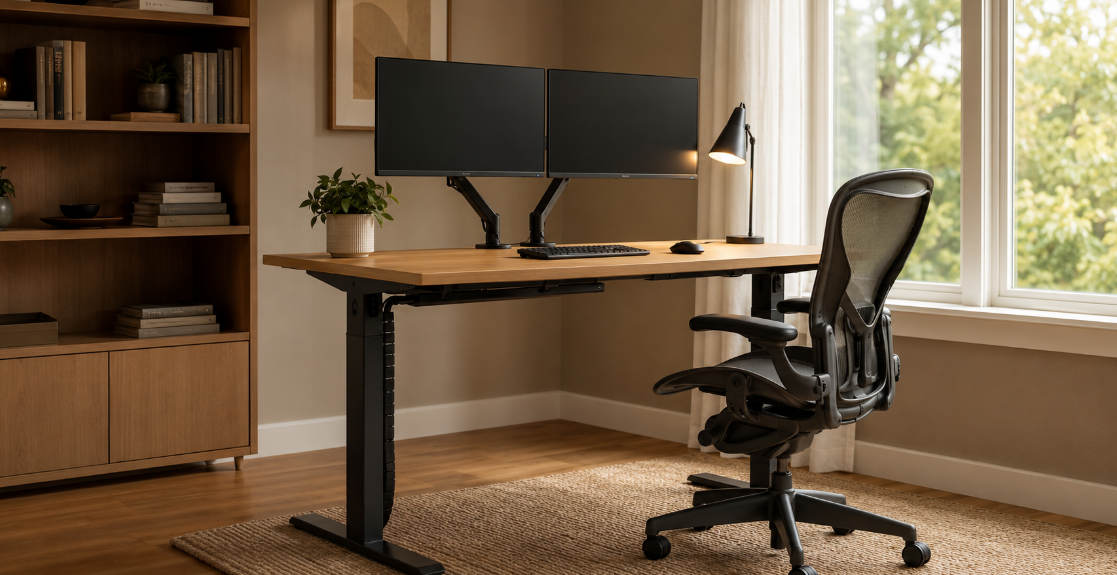
Two matched 27″ 1440p monitors side-by-side produce a work environment that most people adapting to find difficult to give up. The workflow benefits are most significant for people who regularly work across multiple applications simultaneously — developers with code on one screen and browser on another, writers with research on one and document on the other, analysts with data on one and reporting on the other.
Acoustic Treatment
Open-plan rooms create echo and reverb that make video calls sound unprofessional and home environment obvious. Acoustic panels ($60–$200 for a basic set) absorb sound reflections and dramatically improve the audio quality of remote calls. Alternatively: a dedicated microphone (Blue Yeti, $100–$130) with cardioid polar pattern and a acoustic filter screen provides both better audio capture and echo reduction.
The Setup Order That Maximizes Value
If your budget is limited, buy in this sequence — prioritized by impact-per-dollar:
- Chair — body comfort for 8 hours/day
- External monitor — screen real estate and eye strain reduction
- Dedicated space definition — psychological separation
- Keyboard and mouse — wrist and typing comfort
- Standing desk — posture variation
- Lighting and webcam — video call quality
- Acoustic treatment — professional audio
Don’t skip to step 5 while still using a kitchen chair. The physical foundation matters more than the premium upgrades.