
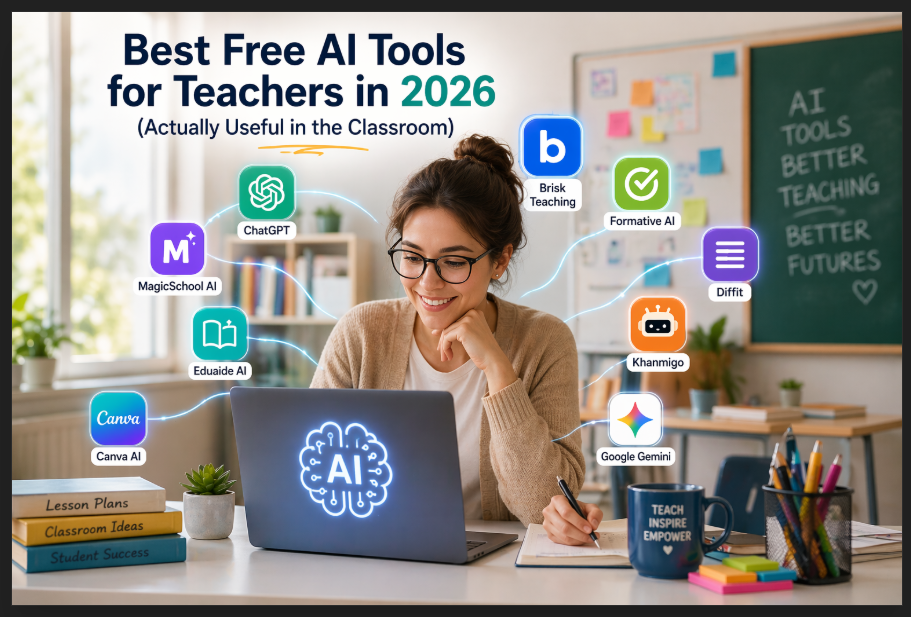
Best Free AI Tools for Teachers in 2026 (Actually Useful in the Classroom)
Teaching has always been one of the most demanding jobs in the world. Between lesson planning, grading papers, answering emails, and trying to actually connect with your students — the to-do list never ends. But in 2026, a new wave of free AI tools is quietly changing what’s possible in the classroom, and the best part? You don’t need a tech degree to use any of them.
Whether you teach kindergarten or college-level calculus, there’s an AI tool on this list that can save you hours every single week.
Why Teachers Are Turning to AI in 2026
The conversation around AI in education has shifted dramatically. It’s no longer “should teachers use AI?” — it’s “which tools are actually worth your time?”
A 2025 survey by EdWeek Research Center found that over 60% of teachers reported using some form of AI tool regularly, mostly for administrative tasks like writing reports, creating quizzes, and generating lesson outlines. The results? Teachers who adopted AI consistently reported saving between 3 to 6 hours per week.
That’s 3 to 6 hours you could spend on what actually matters — your students.
The 8 Best Free AI Tools for Teachers in 2026
1. MagicSchool AI — Best All-in-One Tool
Best for: Lesson planning, quiz creation, parent emails, IEPs
Free plan: Yes — generous free tier with 80+ tools
MagicSchool AI is the closest thing to having an AI teaching assistant that actually understands education. It’s built specifically for teachers (not just repurposed from a generic chatbot), and it shows.
With over 80 tools inside one platform, you can:
- Generate a complete lesson plan in under 2 minutes
- Write differentiated assignments for different learning levels
- Draft professional parent communication emails
- Create rubrics, assessments, and IEP accommodations
The free plan is genuinely useful — you don’t need to pay to get real value here.
Pro tip: Use the “Differentiation” tool to create the same lesson at 3 different reading levels simultaneously. Students get personalized content; you save hours.
2. ChatGPT (Free Version) — Best for Flexible Use
Best for: Writing, brainstorming, explaining concepts
Free plan: Yes — GPT-4o available on free tier as of 2026
ChatGPT remains the Swiss Army knife of AI tools, and the free version is more capable than ever. For teachers, it’s especially powerful for:
- Turning a boring topic into an engaging story or analogy
- Creating discussion questions at multiple Bloom’s Taxonomy levels
- Writing first drafts of student handouts, syllabi, or newsletters
- Generating 20 quiz questions from a textbook chapter in seconds
The learning curve is low. If you can type a sentence, you can use ChatGPT.
Prompt to try: “Create 10 multiple-choice questions about photosynthesis for 8th graders. Include 4 answer options and mark the correct one.”
3. Diffit — Best for Reading-Level Adaptation
Best for: Adapting texts for different reading levels
Free plan: Yes — limited but very useful
Diffit solves one of the most time-consuming challenges in modern education: differentiation. Paste any article, topic, or YouTube video link, and Diffit automatically rewrites the content at the reading level you choose (from 2nd grade to college).
It also generates:
- Vocabulary lists
- Comprehension questions
- Key vocabulary in context
For teachers in inclusive classrooms or those supporting English Language Learners, this tool is a genuine game-changer.
4. Canva AI — Best for Visual Content
Best for: Presentations, worksheets, classroom visuals
Free plan: Yes — extensive free plan
Canva has integrated AI deeply into its platform, and teachers are among the biggest beneficiaries. The free plan lets you:
- Generate presentation slides from a text prompt
- Create visually polished worksheets and handouts
- Use Magic Write to draft text directly inside designs
- Auto-resize content for different formats (poster, worksheet, slide)
If your slides currently look like they were made in 2009, Canva AI will fix that in 10 minutes.
5. Curipod — Best for Interactive Lessons
Best for: Interactive presentations with student participation
Free plan: Yes
Curipod turns your lesson topics into interactive slide decks where students can respond in real time using polls, word clouds, and open questions — all generated by AI from a simple topic input.
It’s like Kahoot and PowerPoint had a baby with an AI tutor. Students engage more, and you spend less time designing.
6. Grammarly — Best for Student Writing Feedback
Best for: Reviewing student writing, giving feedback
Free plan: Yes — core features free
While Grammarly is traditionally thought of as a writing assistant, teachers are using it in a new way: having students run their essays through Grammarly before submission. This shifts the focus of teacher feedback from basic grammar corrections to deeper, more meaningful feedback on ideas and arguments.
The free version catches grammar, spelling, punctuation, and basic clarity issues. It’s available as a browser extension, which makes it easy to use in any writing environment.
7. Gemini (Google) — Best for Google Workspace Users
Best for: Google Docs, Slides, Gmail integration
Free plan: Yes
If your school runs on Google Workspace, Gemini is the natural AI companion. It integrates directly into Google Docs, Sheets, and Gmail — meaning you can draft, summarize, and edit without leaving your existing tools.
Ask it to summarize a long parent email thread, generate a feedback comment for a student essay, or outline a unit plan directly inside Google Docs.
8. Notion AI — Best for Teacher Organization
Best for: Organizing notes, curriculum planning, to-do lists
Free plan: Limited free, very affordable paid tier
Notion AI turns your messy collection of lesson notes, planning documents, and to-do lists into an organized, searchable knowledge base. The AI can summarize meeting notes, draft action items, and help you build curriculum maps.
If you’re the kind of teacher who has 47 browser tabs open and notes scattered across 6 different apps — Notion AI will change your life.
How to Actually Start Using AI Without Feeling Overwhelmed
The biggest mistake teachers make is trying to learn every AI tool at once. Here’s a better approach:
Week 1: Pick ONE tool (we recommend MagicSchool AI) and use it for just one task — like writing next week’s lesson plan.
Week 2: Try ChatGPT for a single quiz or handout.
Week 3: Add Canva AI to your workflow for your next presentation.
By the end of a month, you’ll have 3 tools working together and will be saving 2-4 hours per week without feeling overwhelmed.
The Most Important Thing to Remember
AI tools don’t replace your teaching instincts, your relationships with students, or your professional judgment. They handle the administrative grind so you have more mental energy for the parts of teaching that only you can do.
The teachers thriving in 2026 aren’t the ones who know the most about technology — they’re the ones who’ve learned which tasks to delegate to AI and which ones to keep for themselves.
Quick Comparison Table
| Tool | Best For | Free Plan | Difficulty |
|---|---|---|---|
| MagicSchool AI | All-in-one classroom tasks | ✅ Yes | Easy |
| ChatGPT | Flexible content creation | ✅ Yes | Easy |
| Diffit | Reading level adaptation | ✅ Yes | Easy |
| Canva AI | Visual content & slides | ✅ Yes | Easy |
| Curipod | Interactive lessons | ✅ Yes | Easy |
| Grammarly | Student writing feedback | ✅ Yes | Easy |
| Gemini | Google Workspace users | ✅ Yes | Easy |
| Notion AI | Organization & planning | ⚠️ Limited | Medium |
Final Verdict
If you only try one tool from this list, make it MagicSchool AI. It was built by educators for educators, the free plan is genuinely useful, and the time savings are immediate and noticeable.
But honestly? The best AI tool for teachers is the one you’ll actually use. Pick the one that solves your most annoying daily problem and start there.
Found this useful? Share it with a teacher who needs a break.
Related Guides on HQTRICK.COM
- [How to Use ChatGPT to Write Emails 10x Faster]
- [Best Free AI Tools for Teachers in 2026]
- [AI Tools for HR Managers That Actually Save Time]
- [5 Claude AI Tricks Most People Don’t Know About]
- [ChatGPT vs Gemini vs Claude: Which AI is Best for Writers?]
- [How to Build a Daily Workflow with AI (No Coding Needed)]
- [Best AI Tools for Freelancers to Earn More in 2026]
- [AI Prompt Tricks That Get 10x Better Results from ChatGPT]
- [How to Replace 5 Hours of Work Daily Using Free AI Tools]